Working product build

Native Apple application

Keep, find, and pass on the item you need without retracing its source

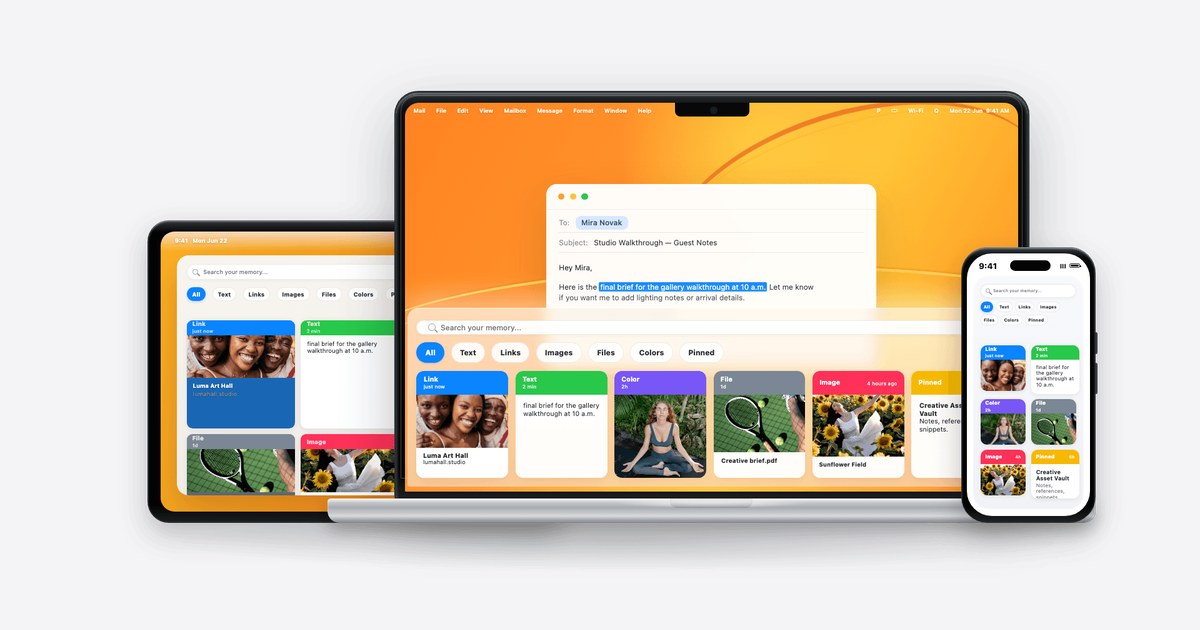
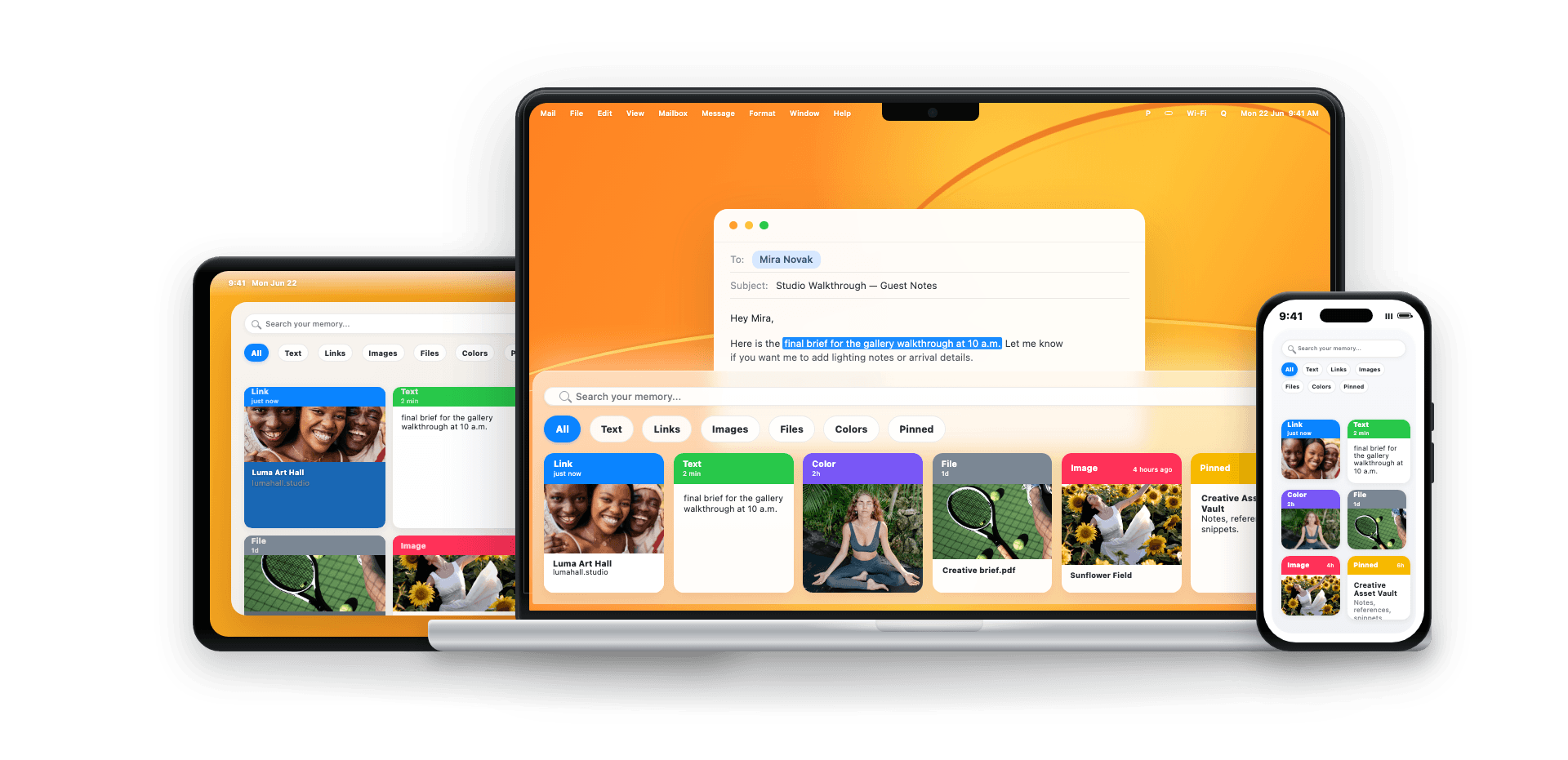
For Mac users who repeatedly move text, links, and identifiers between apps, for example during support work or research. SyncPocket keeps clipboard history searchable and reusable and accepts an item on iPhone only after an explicit user action.

Illustrative interface
SyncPocket⌘ K
Ticket IDDGBA-18421m
Reply fragmentI checked the account and…2m
Reference linkdocs.example.com/access3m
Retentionrule to defineiPhoneexplicit import
Fit check

This is worth mapping when…

The previous copy disappears

The next item replaces a text fragment, link, or value you still need.

You retrace the source

You reopen a tab, document, or app and search for the same item again.

Device handoff breaks the rhythm

A small piece of knowledge needs to move between Mac, iPhone, and the destination app.

Workflow

From repeated handoffs to visible states.

Today

  1. 01
    Copy

    The user copies an item and the clipboard keeps only the current value.

  2. 02
    Overwrite

    The next copy removes easy access to the previous item.

  3. 03
    Return

    The user reopens the source, searches, and copies again.

  4. 04
    Transfer

    The item reaches the destination after more context switching.

Target workflow

  1. 01

    Mac captures successive clipboard items and retains them in history.

  2. 02

    The user opens a quick panel and searches by content.

  3. 03

    Recurring items can be organized on boards and governed by retention.

  4. 04

    The selected item returns to the clipboard; automatic paste requires Accessibility, with manual copy-and-paste as the fallback.

  5. 05

    On iPhone, import starts through an explicit user action; the app does not monitor the clipboard in the background.

Workflow modules

Each module is defined by a specific job.

01

Keep previous copies

Mac history retains text and links after another item is copied.

02

Find the needed item

The quick panel and search let the user select an item from history instead of searching the source again.

03

Organize recurring material

Boards and retention separate reusable content from temporary items.

04

Recover the item

The entry returns to the clipboard. Automatic paste requires Accessibility; otherwise the user pastes manually.

05

Bring in an iPhone item explicitly

Mobile import requires a deliberate action instead of background monitoring.

06

Pass it into the next app

The item reaches the destination without another search for its source.

Operating change

What changes for the person doing the work.

AreaBeforeAfter
HistoryOne current copySearchable Mac history
RecoveryReturn to the sourceSelect from the quick panel
OrganizationUser memoryBoards and retention
iPhoneManual workarounds across appsExplicit user-initiated import
Data and responsibility

Inputs, state changes, and exception paths.

Data

Text, link, creation time, board, retention rule, and source device. Users can pause monitoring, skip content marked confidential, and exclude apps by bundle ID; filtering remains best effort.

Devices and state

Capture works on macOS; iOS accepts explicit import. A CloudKit engine exists, but production sync is not confirmed.

Exceptions

An item can be excluded, removed by retention, or require a paste fallback. The user owns the decision to reuse it.

Measurement

No target before the baseline.

The pilot compares the same workflow and keeps quality guardrails visible.

Retrieval latency

Median time from needing an earlier item to selecting the correct one.

Baseline
Missing — measured before pilot
Data
Task test and pilot events
Comparison
Same tasks before and during pilot
Guardrail
Wrong-item selection rate does not rise
Review
Frequency and owner agreed before pilot
Decision
A guardrail breach pauses the pilot; repair or scale follows review

Micro-workflow completion time

Time from first copy to completion of a representative task.

Baseline
Missing — measured before pilot
Data
Baseline observation and pilot log
Comparison
Same role, device, and task set
Guardrail
Post-paste correction volume does not rise
Review
Frequency and owner agreed before pilot
Decision
A guardrail breach pauses the pilot; repair or scale follows review

Sensitive capture escape rate

Sensitive items retained despite an exclusion rule / reviewed sensitive items.

Baseline
Missing — measured before pilot
Data
Controlled sample and local audit
Comparison
Configured baseline vs pilot
Guardrail
Every case triggers stop and rule review
Review
Frequency and owner agreed before pilot
Decision
A guardrail breach pauses the pilot; repair or scale follows review
Implementation

A bounded path from evidence to rollout.

  1. 01

    Discovery

    Select one micro-workflow, roles, devices, and data types.

  2. 02

    Baseline

    Measure returns to source, time, and errors.

  3. 03

    Prototype

    Test panel, search, boards, and privacy rules.

  4. 04

    Build

    Adapt capture, retention, and paste paths.

  5. 05

    Pilot

    Compare the same tasks with a bounded group.

  6. 06

    Decision

    The product remains an individual tool; team rollout requires separate distribution, administration, and security validation.
Proof and limits

What exists today, and what still needs validation.

Verified in the current material

  • The working macOS build captures history and provides a quick panel, search, boards, retention, and reuse.
  • iOS import is explicit; the app does not claim background clipboard monitoring.
  • A CloudKit engine is implemented as the synchronization direction.

Not yet evidenced

  • Public distribution, a signed production environment, and customer outcome evidence are not confirmed.
  • Cross-device sync needs production validation. We publish no time or monetary saving calculations.
Native clipboard memory app for Mac and iPhone users 1
Native clipboard memory app for Mac and iPhone users 2
Next step

Show us one repeatable micro-workflow

We will map what you copy, from where, to which app, and how often you return to the source. Then we define the baseline and pilot.

Start with the workflow